


Beamer is displaying "No signal"
When the projector is turned on but you see the message “No Signal” at the top of the screen, it may be because the projector is set to the wrong input source.
Fortunately, this is easy to fix using the projector remote control.
Step 1.
Take the projector remote control.
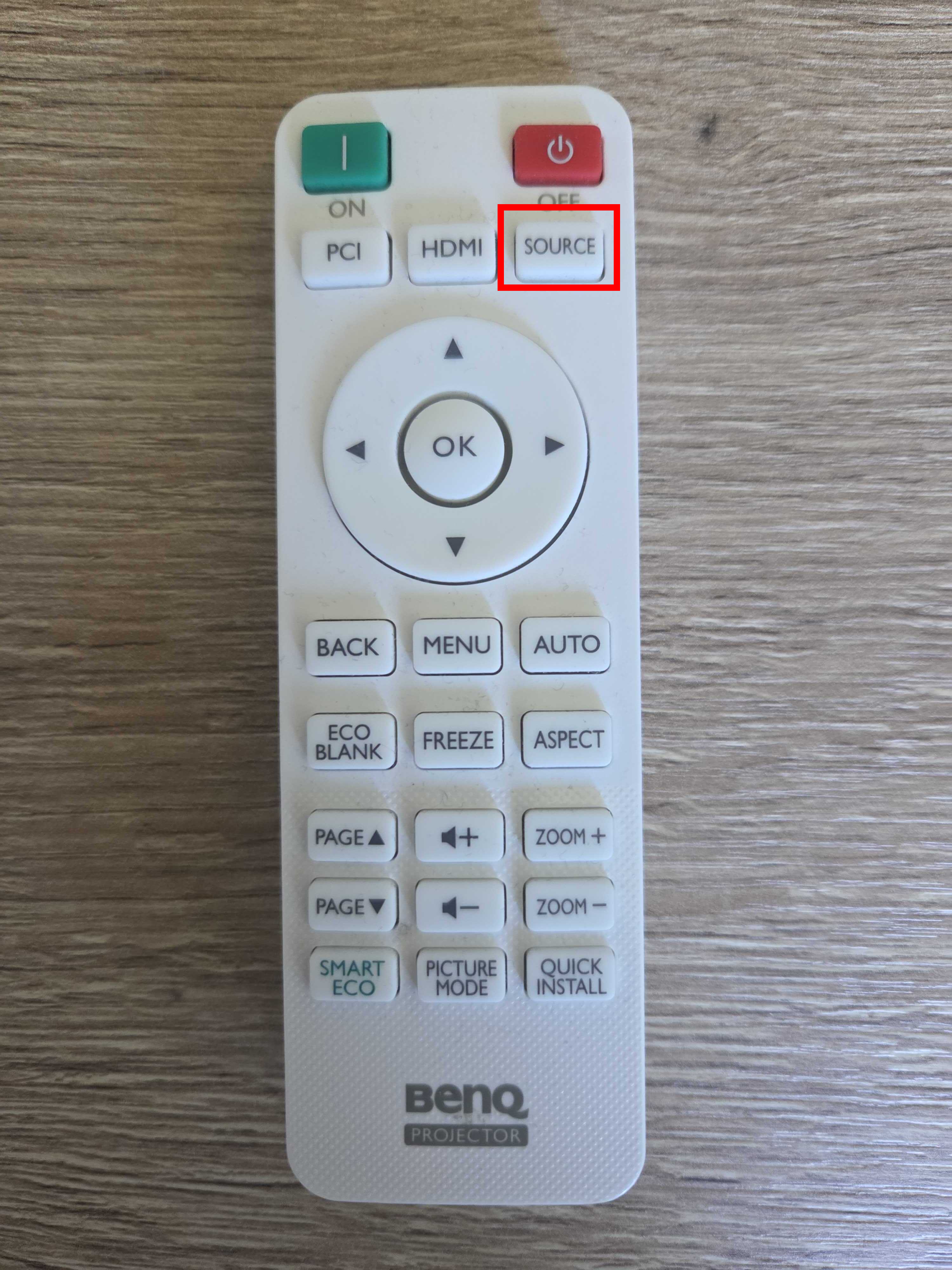
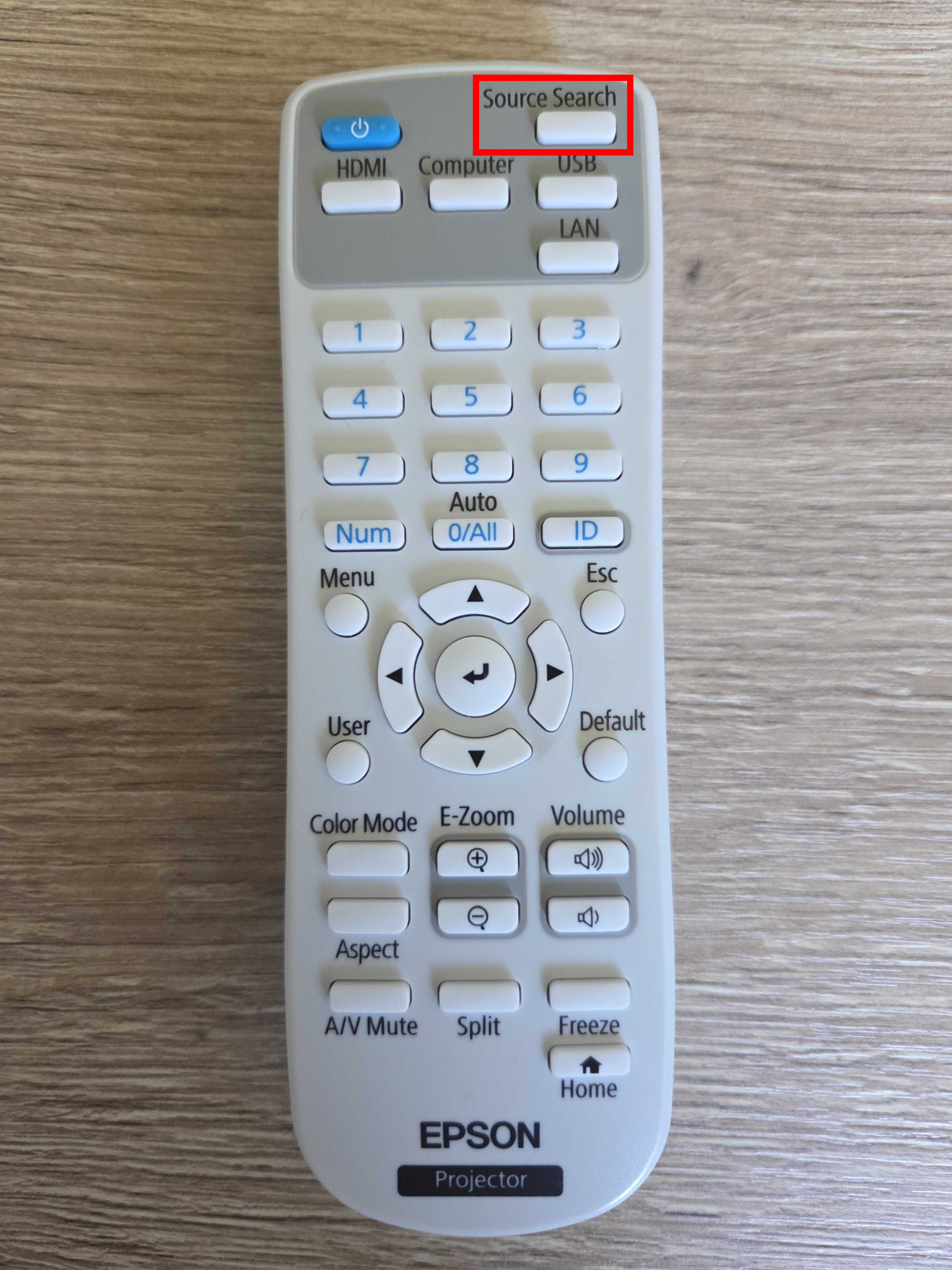
In most cases, this will be either a BenQ or Epson remote.
Step 2.
Press the “Source” button (the position of this button may vary depending on the remote control).
Step 3.
A menu will appear showing all available input channels for the projector.
Use the arrow buttons on the remote control to navigate to “HDMI 1” and press “OK” or “↲”, depending on your remote control.
If the projector was set to the wrong input source, the X-Wall interface should now appear on the screen.
Was this article useful?
Your feedback helps us keep the Knowledge Base sharp.