


Computer is not turning on
Have you turned on the X-Wall but are not getting any image?
This can have several different causes.
It is useful to go through the steps below to identify the issue.
Step 1.
Does the projector turn on?
If so, it is best to check whether the computer is also turned on.
The easiest way to do this is by standing in front of the wall and looking up at the ceiling installation.
Next to the projector, you will see the camera. Check whether you can see a red light on the camera.
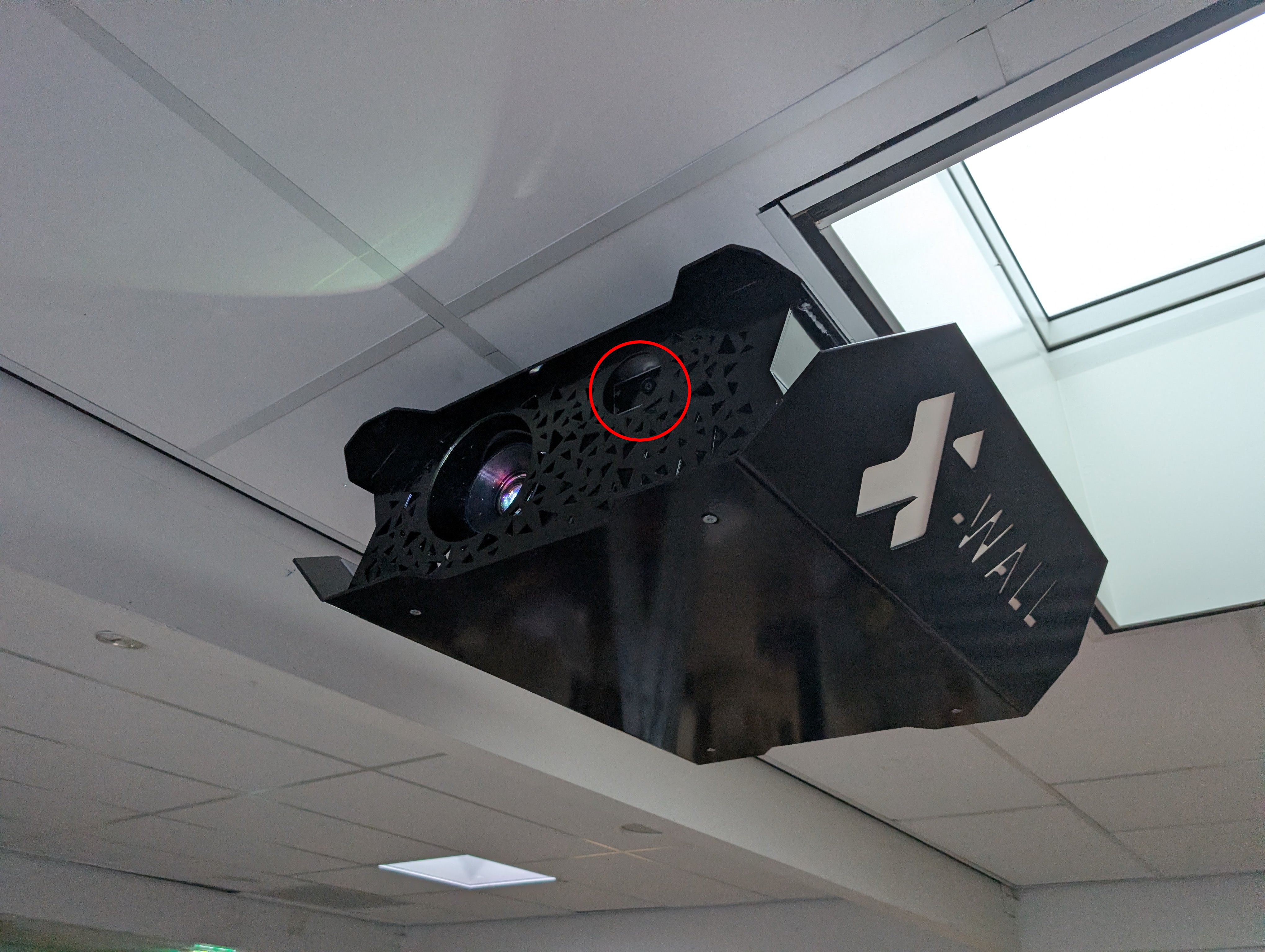
Do you see a red light?
This means the computer is turned on, but no video signal is being sent to the projector.
Please contact our support team so they can help determine what may be causing the issue.
Is there no red light?
Then the computer is not turned on.
Step 2.
The best next step is to use a ladder and unscrew the bottom cover (4 screws).
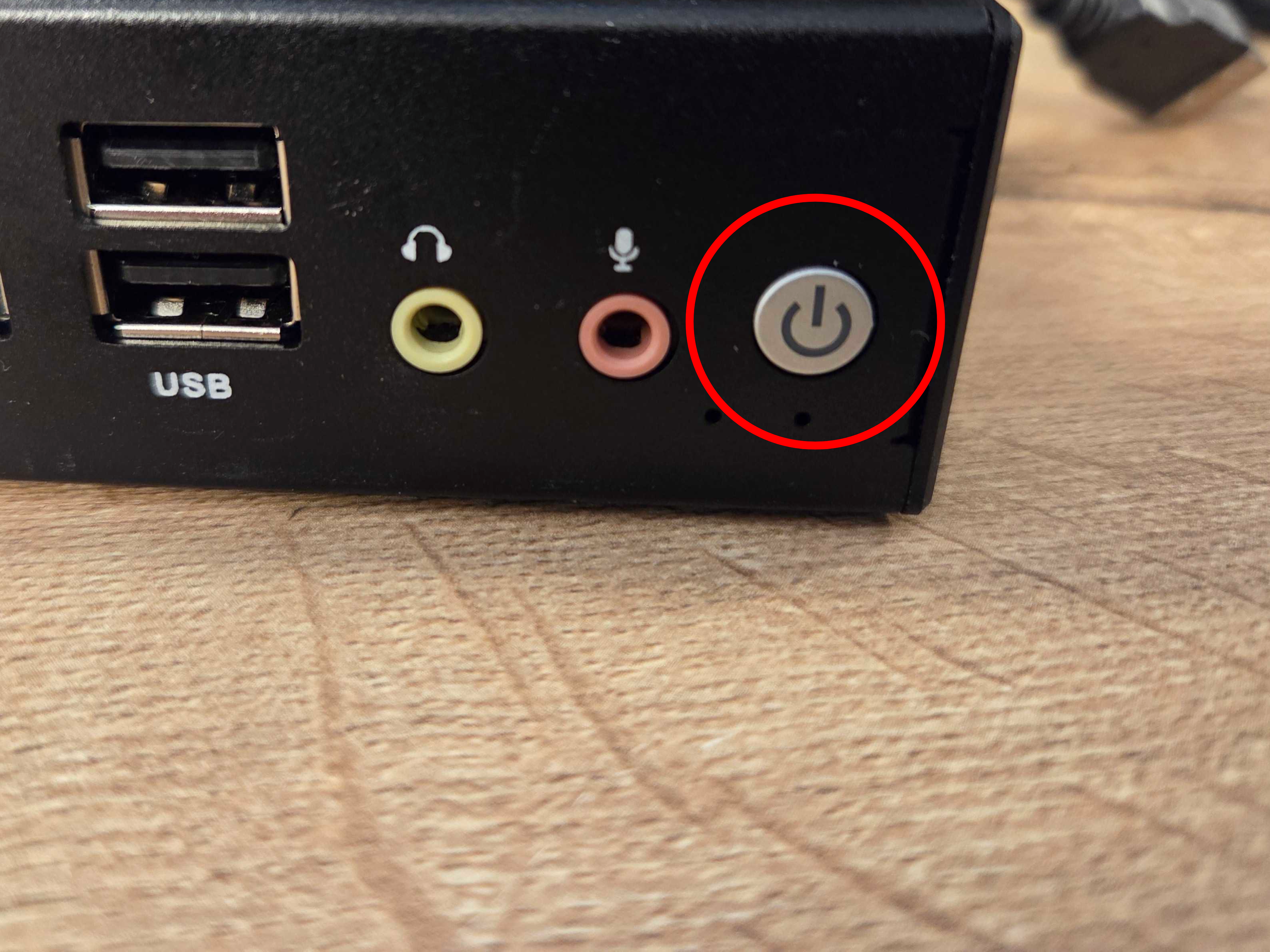
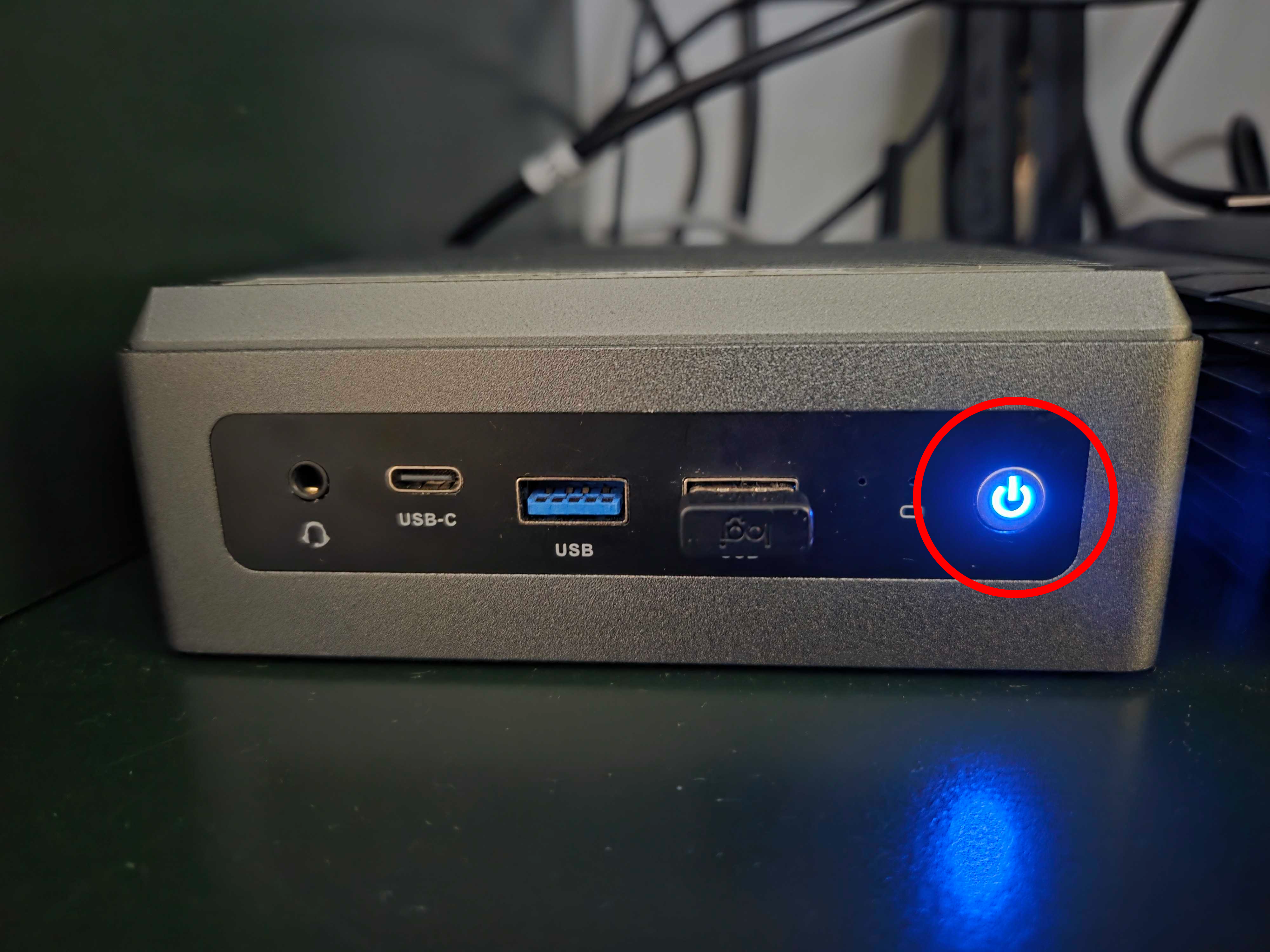
Once the cover has been removed, you can try turning on the computer manually by pressing the small round grey power button on the front of the computer.
The button will show a blue light when the computer is turned on.
Was this article useful?
Your feedback helps us keep the Knowledge Base sharp.