


List of games remains empty
Does the X-Wall start up, but does the games list remain empty?
In many cases, you can solve this by saving the games list again in the X-Wall Hub.
Step 1.
Go to the X-Wall Hub at: https://admin.interactivexwall.nl/ and log in with your account.

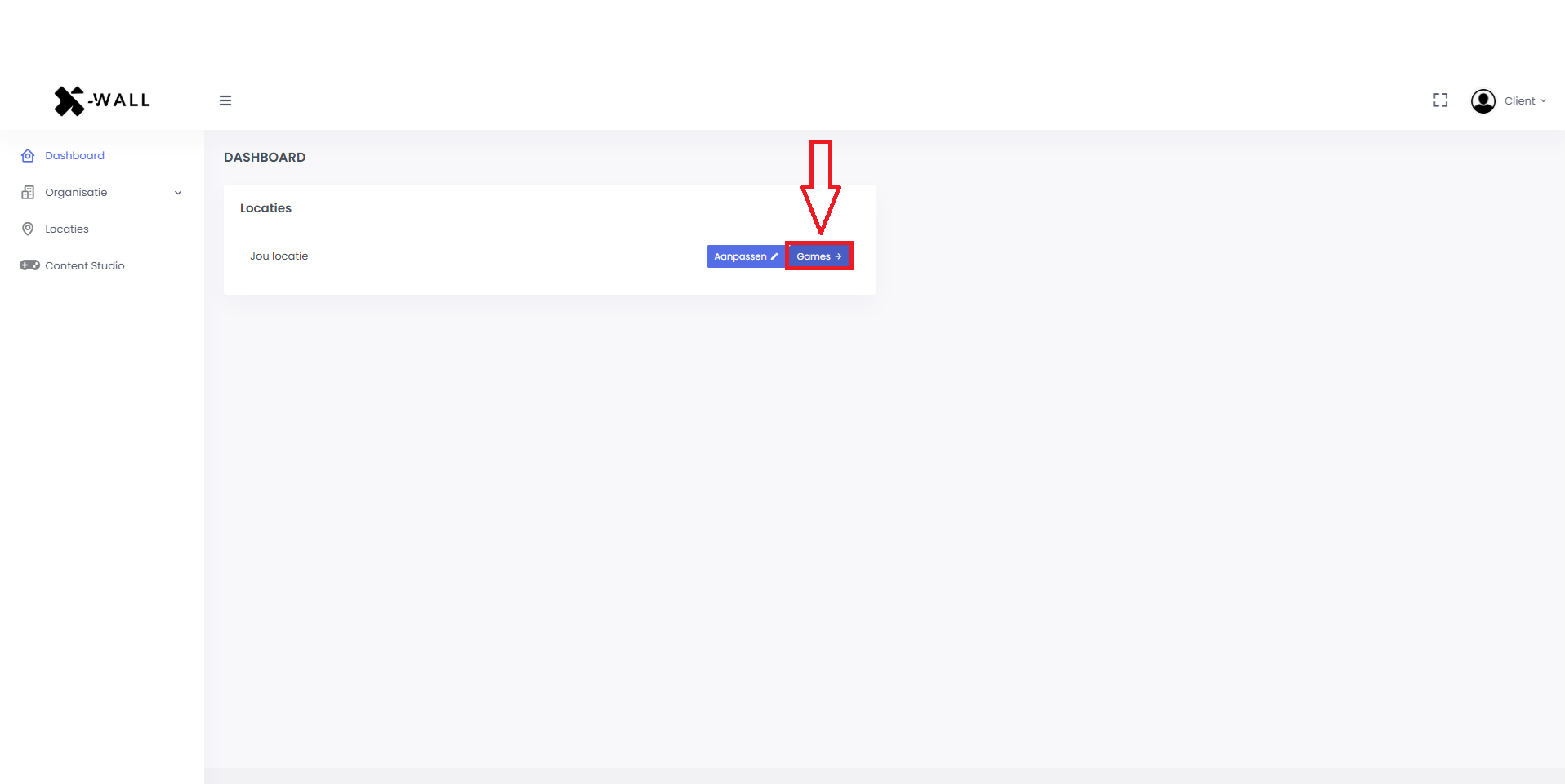
Step 2.
In the dashboard, click the “Games” button for your location.
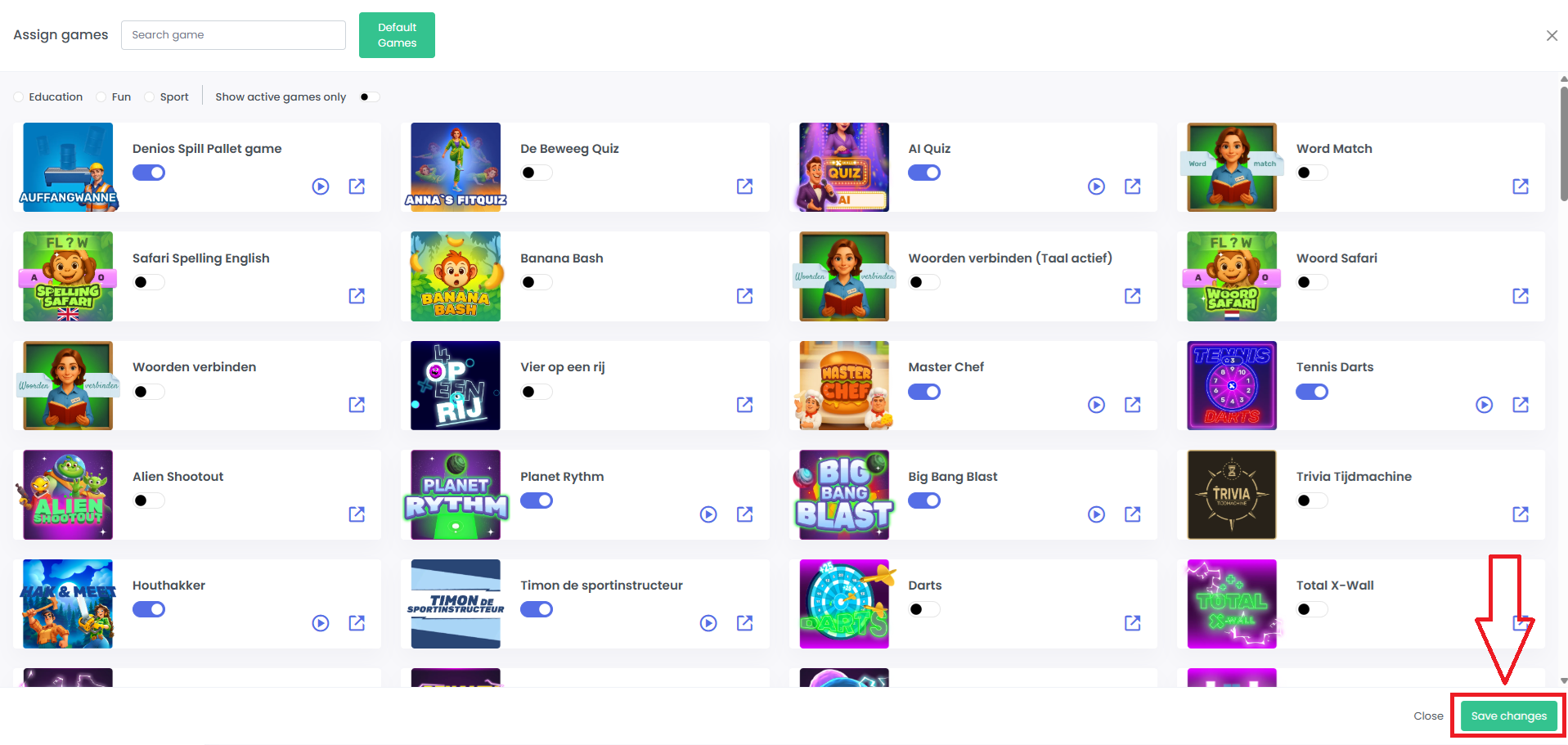
Stap 3.
The list of selected games will open. Check the list and then click “Save changes.”
Stap 4.
Return to the X-Wall and check whether the games list is now visible.
Was this article useful?
Your feedback helps us keep the Knowledge Base sharp.