


Beamer is not turning on
Have you turned on the X-Wall but are not getting any image?
This can have several different causes.
It is useful to go through the steps below to identify the issue.
Step 1.
Check whether the computer is turned on.
The easiest way to do this is by standing in front of the wall and looking up at the ceiling installation.
Next to the projector, you will see the camera. Check whether you can see a red light on the camera.
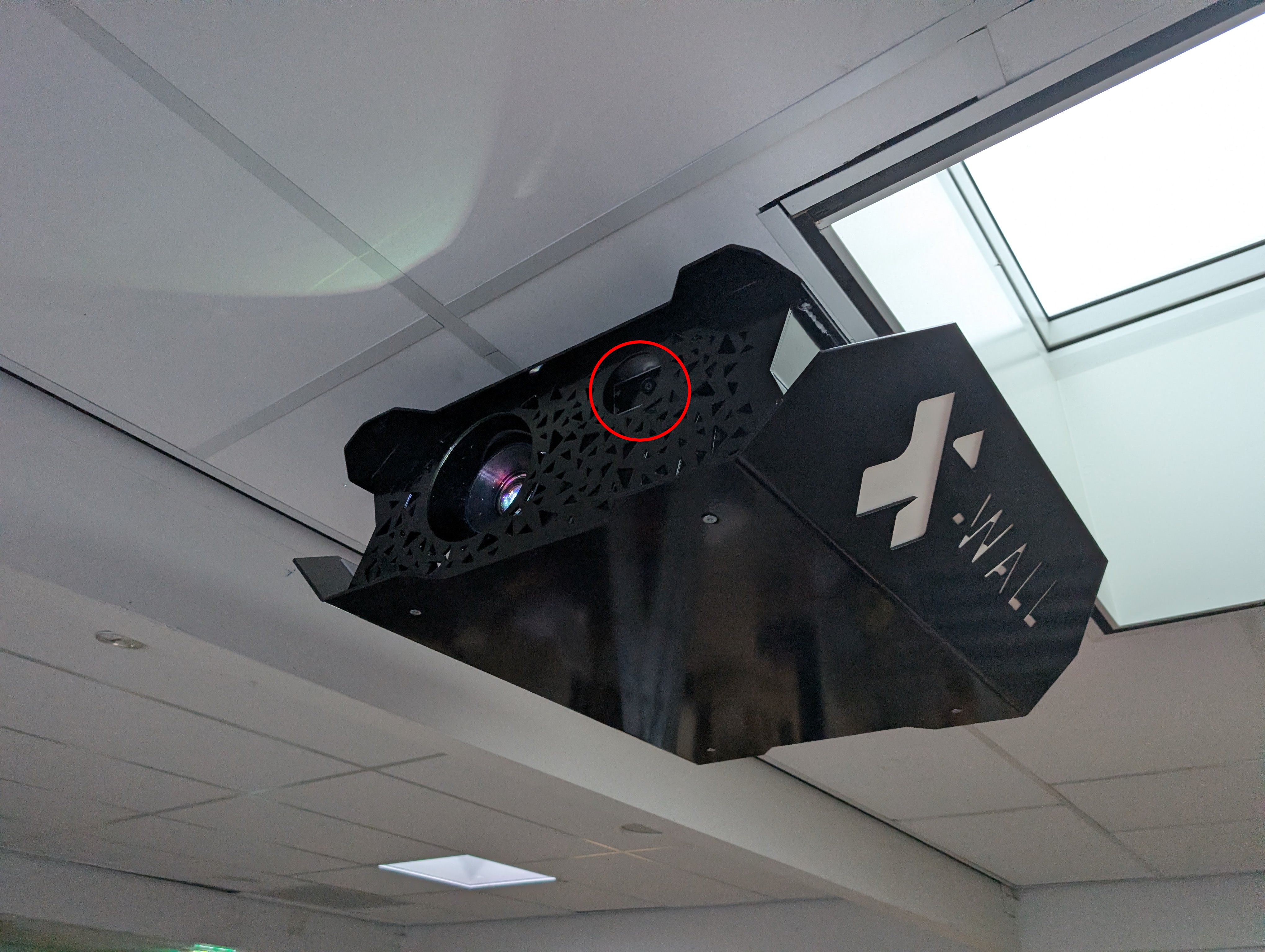
Do you see a red light?
Continue to Step 2.
Do you not see a red light?
This means no power is reaching the box.
Are you using a click-on/click-off power system?
If so, try using a ladder to reach the installation and remove the click-on/click-off plug from the setup. Then connect the box directly to the power outlet to check whether the system turns on properly.
Step 2.
The projector may be turned off.
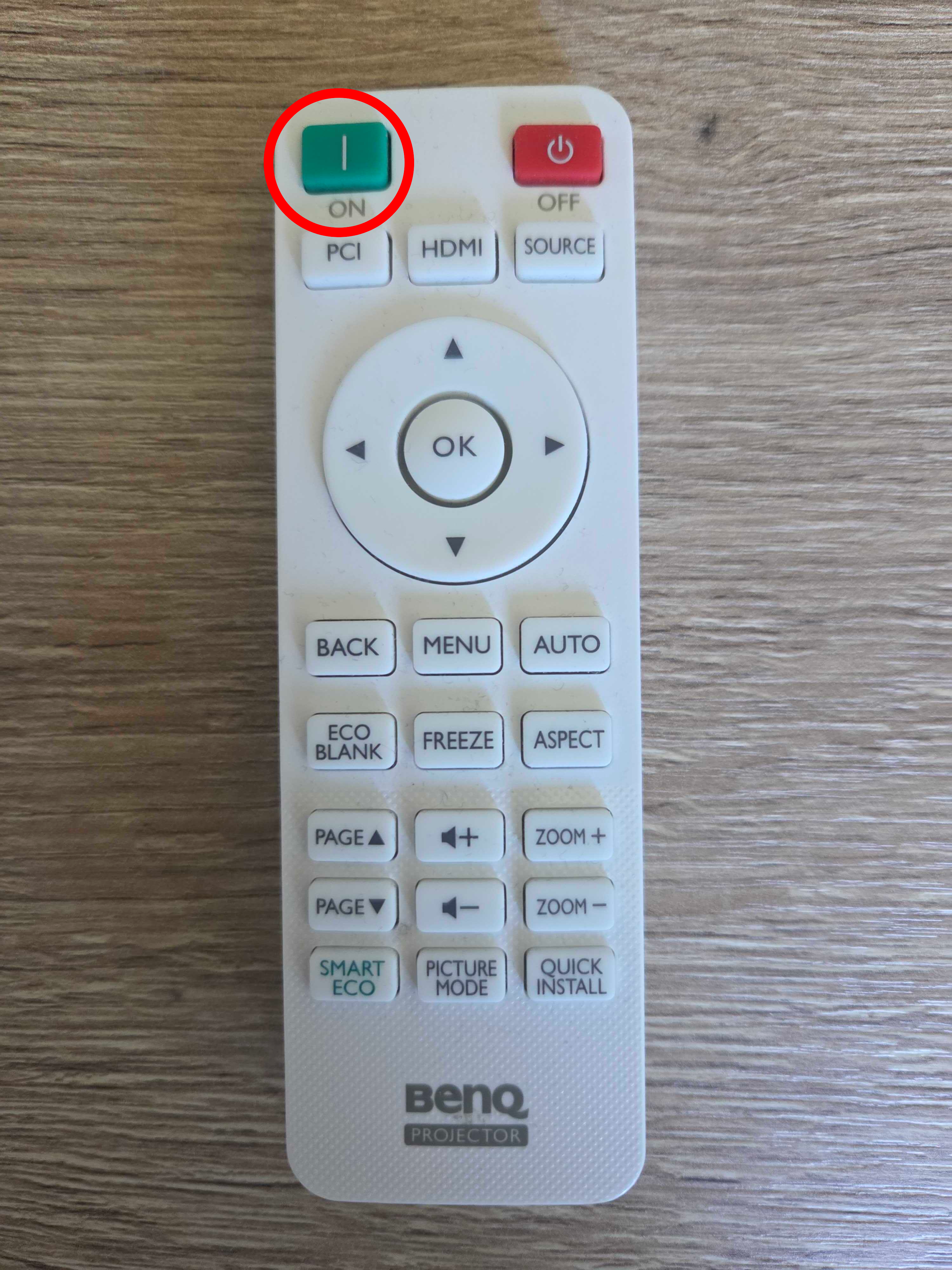
Try turning on the projector separately using the remote control by pressing the “ON” button.
The location and appearance of this button may vary depending on the projector model.
Was this article useful?
Your feedback helps us keep the Knowledge Base sharp.