


Computer is not turning on
Have you turned on the X-Wall but are not getting any image?
This can have several different causes.
It is useful to go through the steps below to identify the issue.
Step 1.
Unplug the power cable from the power outlet, wait 10 seconds, and plug it back in.
Step 2.
Does the projector turn on?
If so, this means the system is receiving power.
+Next, check whether the computer is receiving power by opening the front cover and removing the panel underneath (6 screws).
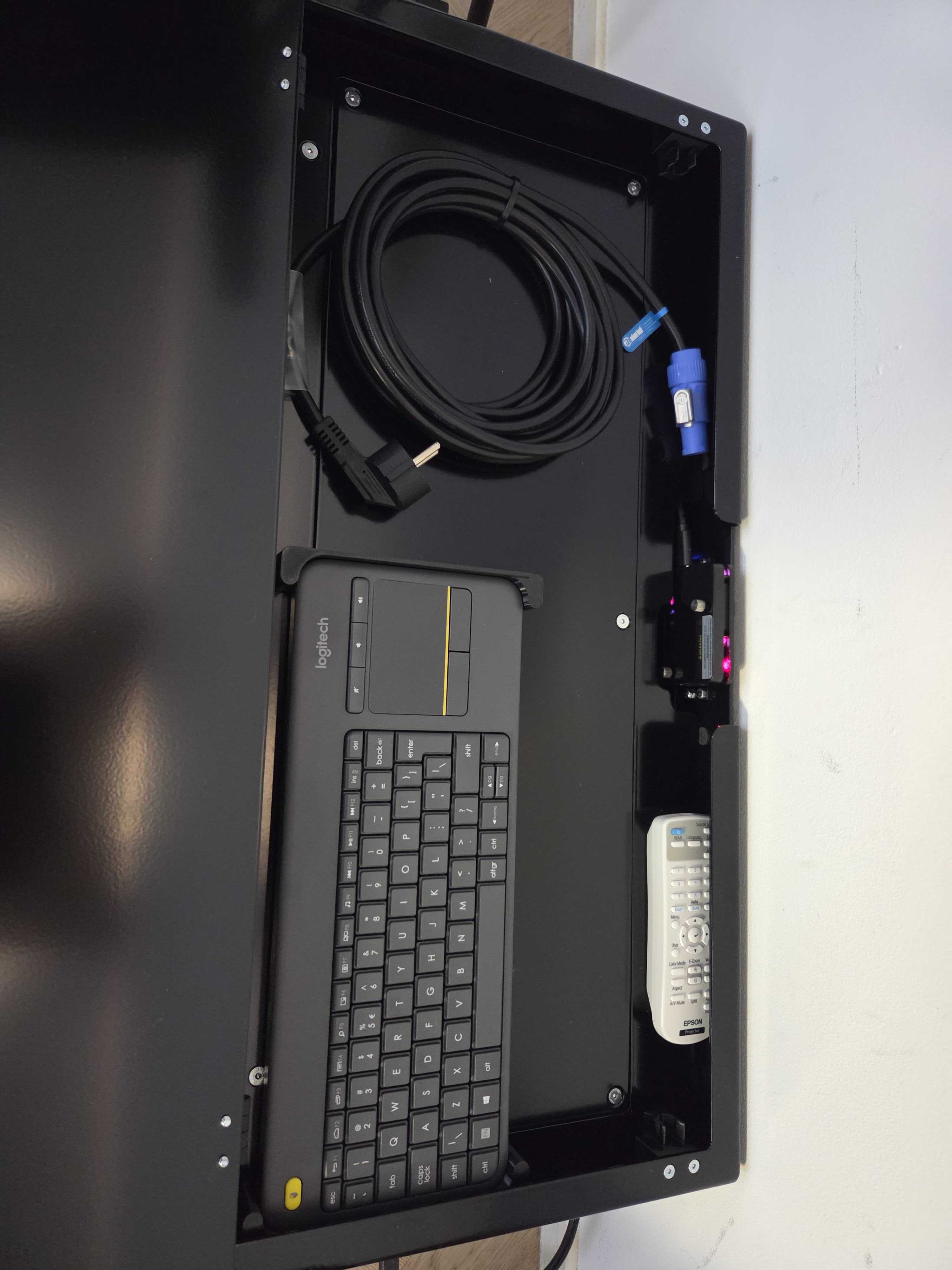
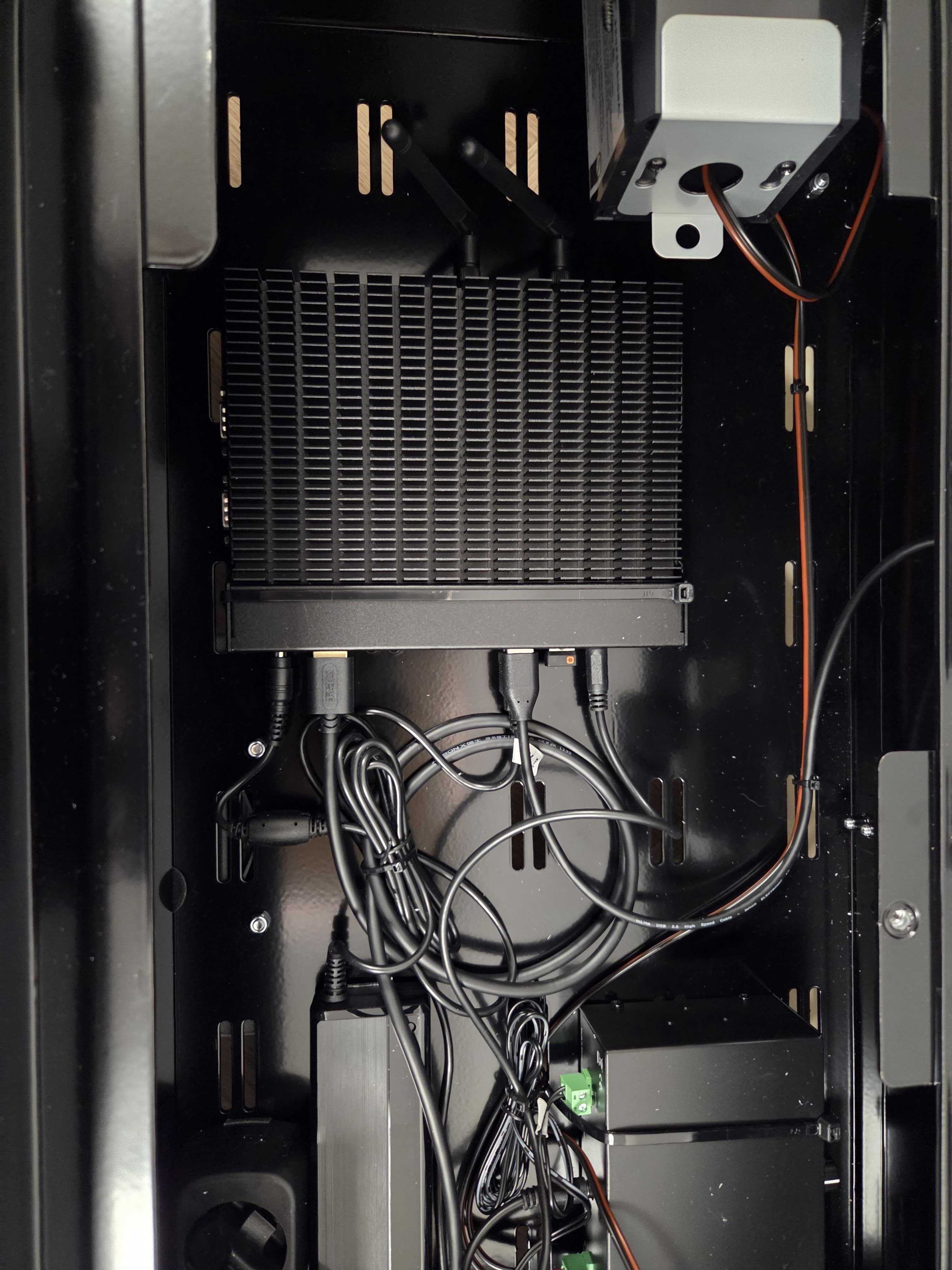
Look at the front of the computer to see if the blue LED on the power button is lit.
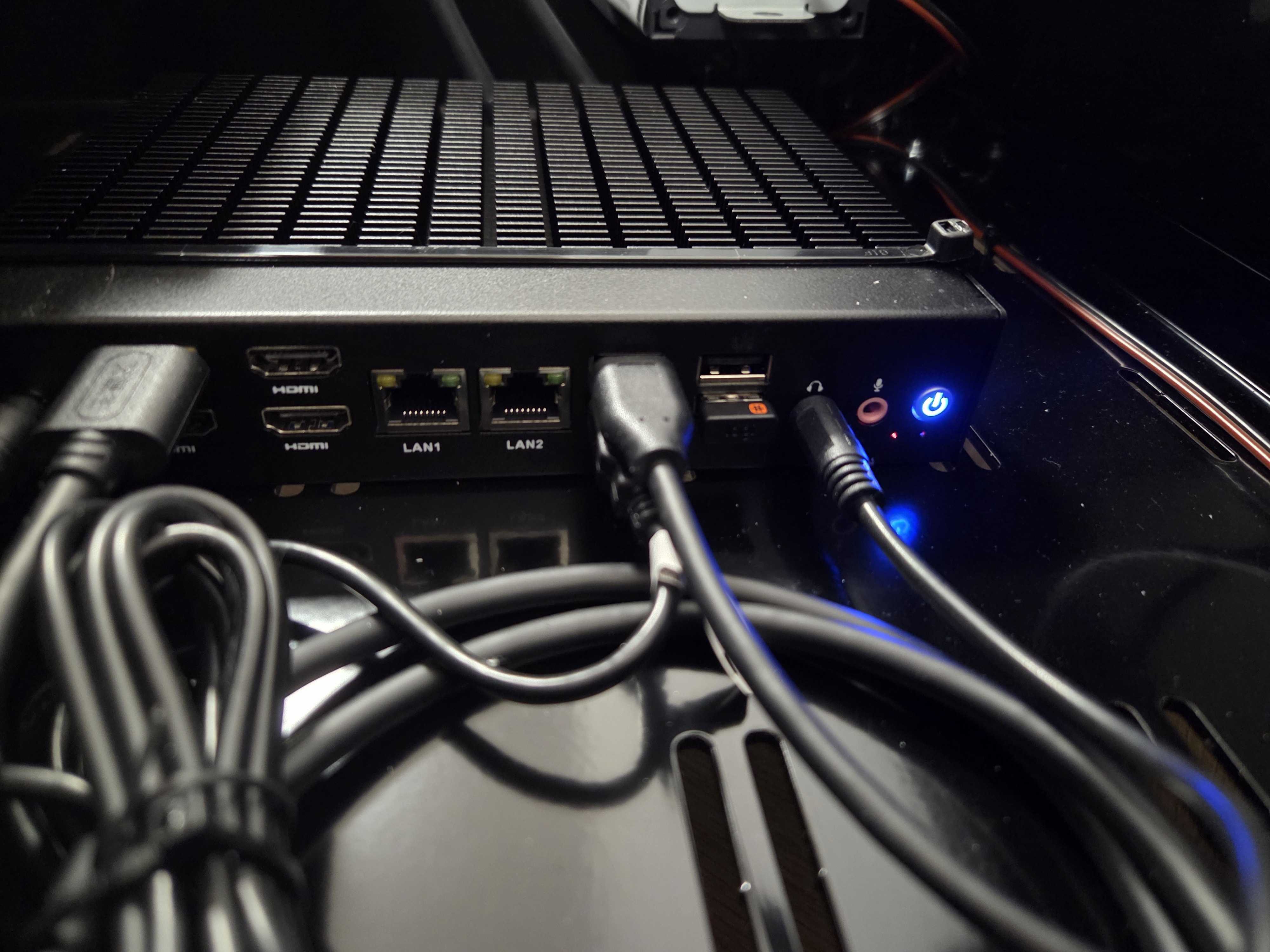
Is the blue LED not lit?
Press the power button.
Is the computer still not turning on?
Then check whether all cables are properly connected.
Was this article useful?
Your feedback helps us keep the Knowledge Base sharp.